Woodrow monitors your A/R inbox, categorizes incoming emails, pulls the relevant customer and invoice context from your ERP, and drafts responses—so your team can reply faster with the right context.
Watch the A/R inbox and sort every incoming email—payment inquiries, dispute notices, remittance confirmations—by type, customer, and priority.
step 2
Pull ERP Context
Look up the matching account and invoices in your ERP—balances, due dates, payment history, and open disputes—so every reply has the context it needs.
Output
Draft Responses for Review
Compose a tailored reply with the right account detail attached, and route it to the A/R team to review, adjust, and send.
An A/R inbox that stays on top of itself
Woodrow connects to your inbox, ERP, and supporting systems to triage every incoming A/R email. It categorizes each message, pulls the relevant account and invoice context, and drafts a response, so your team can spend less time sorting and researching manually.
+ Spreadsheets, shared drives, Slack, and any other tool your team uses.
Organized inbox
Sort every incoming email by type—payment inquiry, dispute, remittance—and route it to the right queue automatically.
Customer context attached
Pull the matching account, invoices, balances, and payment history from your ERP so every reply is grounded in real data.
Replies ready to review
Generate a tailored reply for each email, ready for your A/R team to review, adjust, and send.
HOW WOODROW WORKS
Automate your processes with enterprise AI
Woodrow helps teams automate cross-system workflows with the accuracy, auditability, and controls enterprise work requires. Connect your systems, describe the process, and Woodrow runs the workflow while keeping every step visible and reviewable.
01
Describe your workflow
Tell Woodrow what you want to automate in natural language. AI maps the necessary steps, systems, rules, and review points, then builds the complete workflow for you.
02
AI works across your stack
Woodrow plugs into your existing tools, pulling and pushing data where it's needed and running every step in place. No manual handoffs or copy-paste between systems.
03
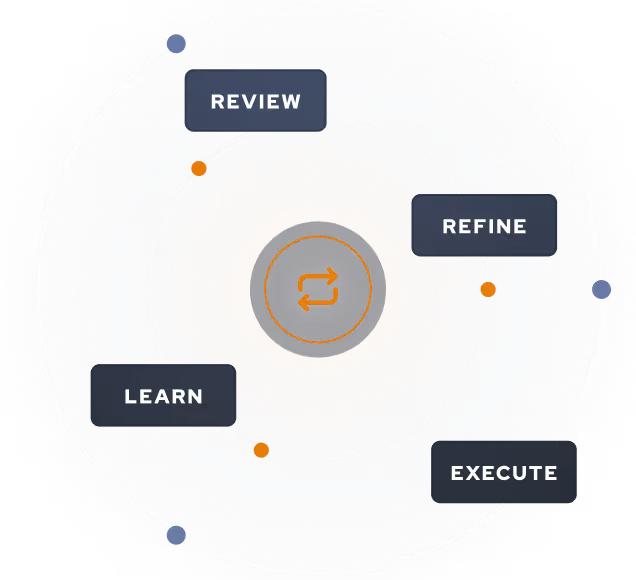
Woodrow keeps the workflow current
As your process changes, Woodrow updates the steps behind the scenes so the workflow stays accurate without manual rebuilds or constant maintenance.
Auditable and secure
Woodrow is SOC 2 Type II certified. Every workflow runs with scoped permissions, clear review steps, and an audit trail of the actions taken. PII stays within your environment and is never used to train any model.


.svg)
.svg)
.svg)
.svg)

%20(4).svg)


.svg)
.svg)







.avif)

.svg)



.svg)
